AI Image Editor
Upload your photos (PNG, JPEG, or WEBP, up to 20 MB each) and say what should change. DER Image V3 makes a new version with your edit. From 5 credits per image (≈ $0.05), pay as you go. Results are usually ready in about 30 seconds.
Opens Image editor in the studio with what you typed. You’ll sign in first if you’re signed out — your text stays.
How it works
How the AI image editor works
Add your photo
Upload the picture you want to change (PNG, JPEG, or WEBP, up to 20 MB). You can add more images as references — up to 16, depending on the model.
Say what should change
Write the edit in plain words: a new background, different light, another style. Tag an image with @ in the prompt when you mean a specific one.
Check the price and generate
The studio shows the price before you start. You get a new image with your edit, and the photo you uploaded isn’t changed.
Use cases
What you can change in a photo
Backgrounds
Move the subject to a beach at sunset, a studio backdrop or a city street by describing the new scene.
Product shots
Upload a product photo and ask for a new setting: on a marble table, in soft morning light, next to props you describe.
Style and look
Turn a photo into a watercolor painting, give it a film look, or restyle it to match a reference image you add.
Light and time of day
Ask for soft studio light, golden hour or night time. Say what should stay as it is, so the edit stays on the light.
Why DER
Say the change
Use references
Add your own images — a product, a face or a style to follow.
Describe the edit
New background, new light, a different outfit — say it in plain words.
Try models side by side
Run the same edit on different models and keep the one you prefer.
Models
Image models that can edit
21 image models on DER can take your photos as references. DER Image V3 opens by default; you can switch in the studio’s model picker.
- DER Image V35 credits / imageDER · Up to 2K
- GPT Image 2.51 credit / imageOpenAI · Up to 4K
- Nano Banana 2.18 credits / imageGoogle · Up to 4K
- Seedream 5.515 credits / imageByteDance · Up to 2K
- Seedream 5.0 Pro9 credits / imageByteDance · Up to 2K
- Nano Banana Pro17 credits / imageGoogle · Up to 4K
- FLUX.2 Pro5 credits / imageBlack Forest Labs · Up to 2K
- DER Image V215 credits / imageDER · Up to 2K
- GPT Image 1.55 credits / imageOpenAI
- GPT Image 26 credits / imageOpenAI · Up to 4K
- Kling 3.0 Image30 credits / imageKuaishou · Up to 2K
- Nano Banana 28 credits / imageGoogle · Up to 4K
- Qwen Image 2.03 credits / imageAlibaba
- Qwen Image 2.0 Pro6 credits / imageAlibaba
- Qwen Image 3.05 credits / imageAlibaba
- Qwen Image 3.0 Pro8 credits / imageAlibaba
- Seedream 4.58 credits / imageByteDance · Up to 4K
- Seedream 5.08 credits / imageByteDance · Up to 3K
- Wan 2.6 Image3 credits / imageAlibaba
- Wan 2.7 Image3 credits / imageAlibaba
- Wan 2.7 Image Pro8 credits / imageAlibaba
Each price is that model’s starting order. Other settings change the price — the studio shows it before you generate.
Better results
Get the edit you asked for
Use it like an AI photo editor you talk to: the clearer the request, the closer the result. One change at a time works well.
The photos
Do
- A sharp photo where the thing to change is easy to see
- Photos you took or have the right to use
- Each reference tagged with @ where the prompt mentions it
Avoid
- Small or heavily compressed pictures
- More references than the model takes — the extra ones aren’t sent
The request
Do
- One change per run, then build on the result
- Say what must stay the same, like the face or the product
- Point to the part to change: the jacket, the sky, the table
Avoid
- Requests with no detail, like “make it nicer”
Examples
Made with the AI image editor
 Before
 After
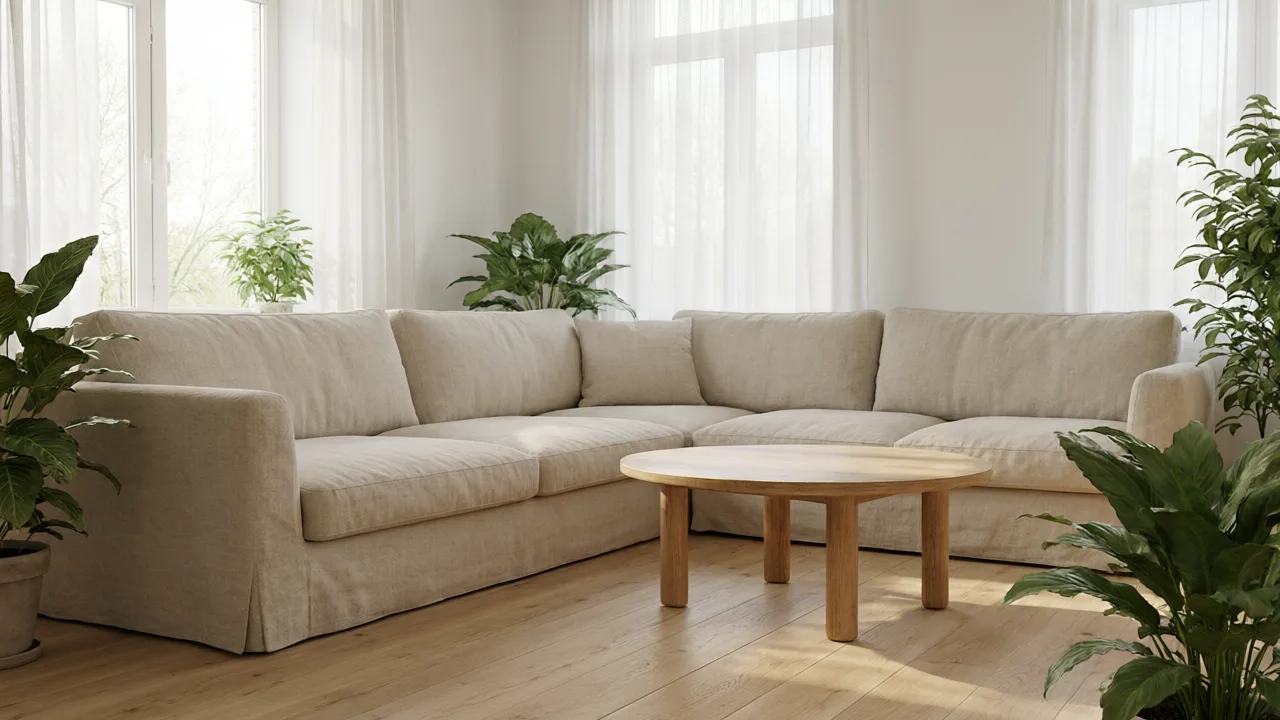
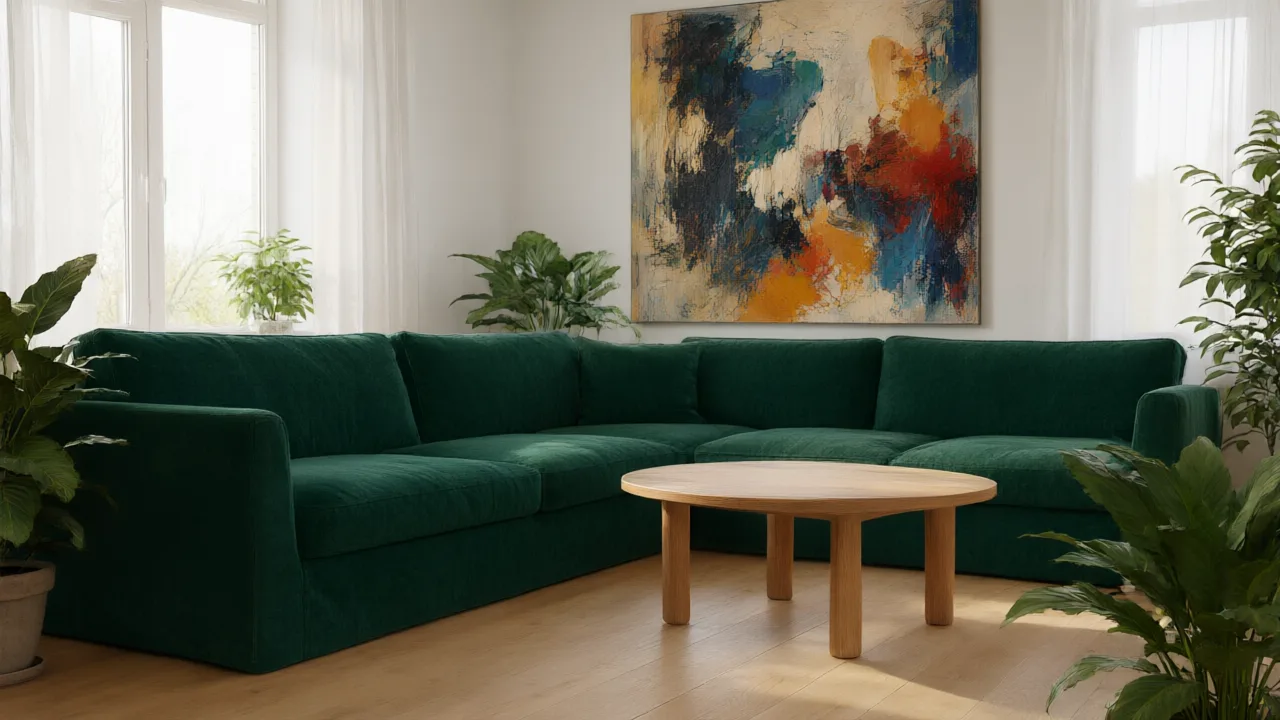
The request: “Change the sofa to deep emerald green velvet and hang a large abstract painting on the wall behind it. Keep everything else the same.”Before: made with Qwen Image 2.0 ProAfter: made with Qwen Image 3.0 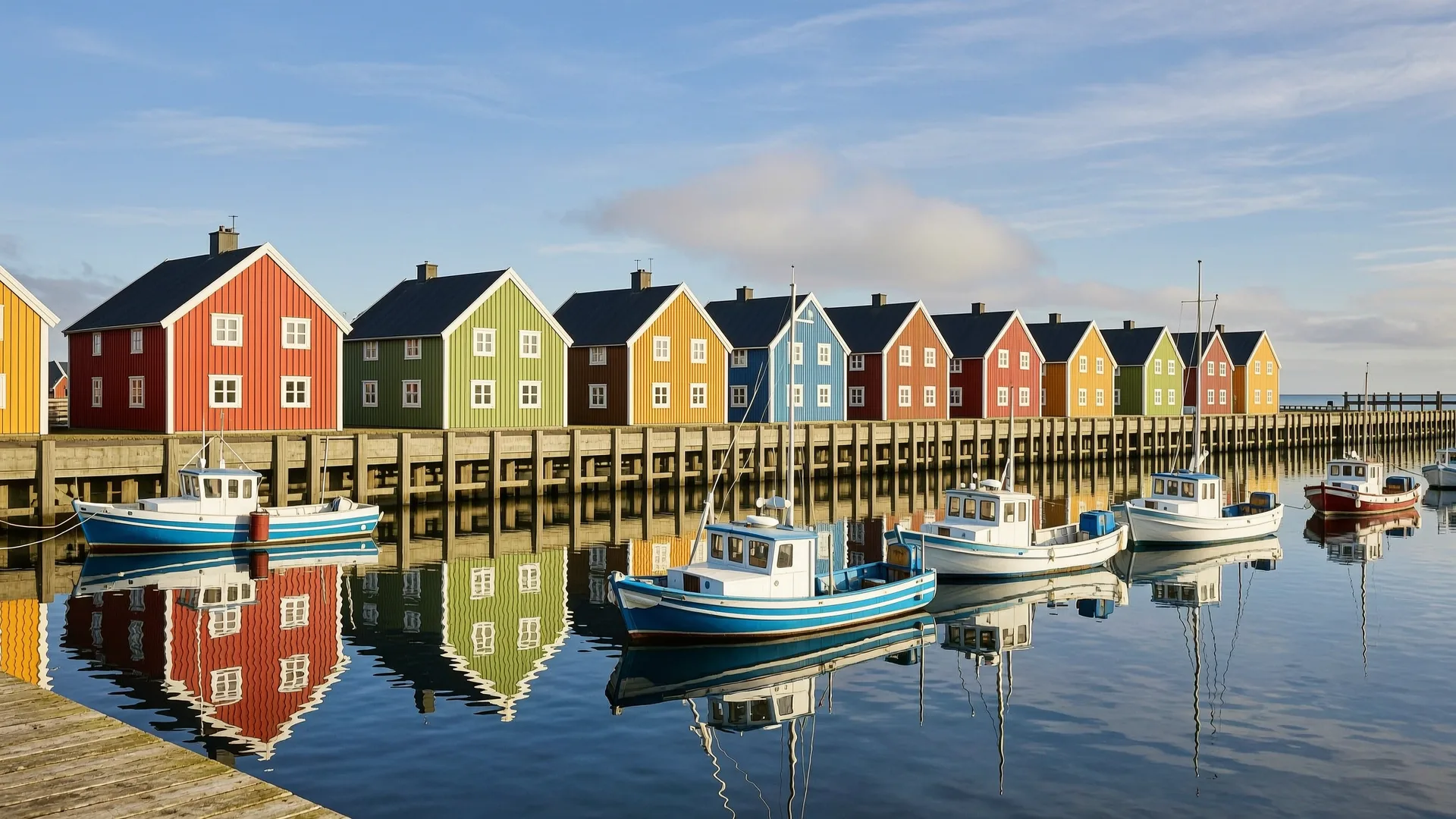 Before
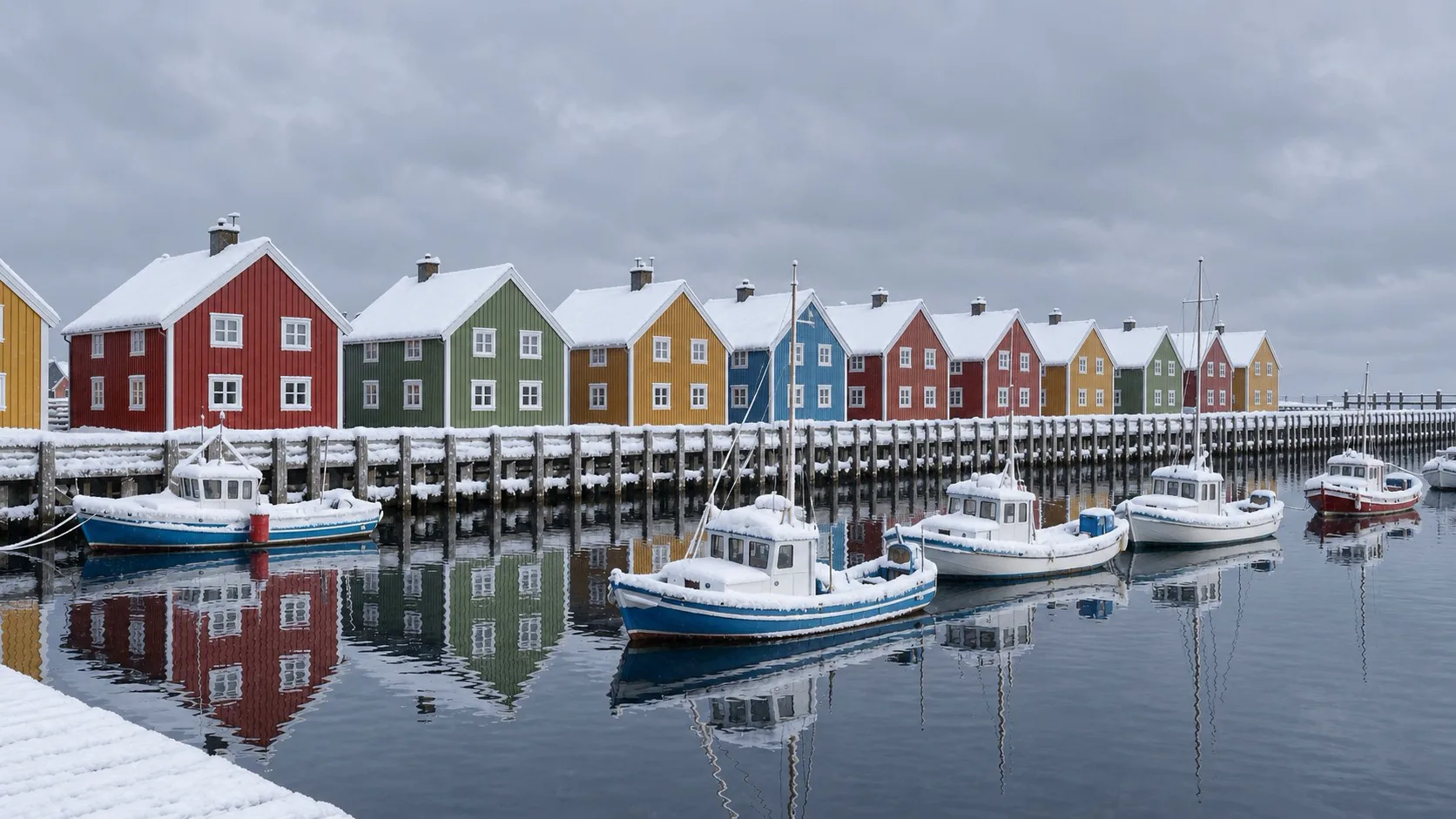 After
The request: “Turn the scene into winter: snow on the roofs, the quay and the boats, with an overcast sky. Keep the composition the same.”Before: made with Wan 2.7 ImageAfter: made with GPT Image 2
Pricing
What it costs
You pay per image, in credits. The price depends on the model you edit with.
From 5 credits per image (≈ $0.05)
See all pricesPay as you go
No subscription and no monthly minimum: credits are only used when you run something. Top-ups start at $5.
Price shown first
The studio shows the exact price before you start.
Failed runs cost nothing
If a run fails, the credits it used go back to your balance automatically.
FAQ
AI image editor FAQ
What is an AI image editor?
How do I edit a photo with a text prompt?
How many reference images can I add?
What are reference images for?
What’s the difference between editing and text to image?
How much does the AI image editor cost?
How long are my results kept?
Edit your first photo
DER Image V3 · From 5 credits / image