AI Image Upscaler
Upload an image (PNG, JPEG, or WEBP, up to 20 MB) and get one sharper, larger version of it back. From 3 credits per image (≈ $0.03), pay as you go.
Upscaling a video instead?Use Video Upscale in the studio
Opens Upscale in the studio — add your files there. You’ll sign in first if you’re signed out.
How it works
How the AI image upscaler works
Add an image
Upload the picture you want to enlarge. PNG, JPEG, or WEBP images up to 20 MB work.
Upscale it
There’s nothing to set. The studio shows the price, and one click starts the upscale.
Download the result
You get one larger, sharper version of the same picture, in the same proportions. Download it, or keep it in your Library.
Use cases
What to use the AI photo enhancer for
AI-generated images
Images from a generator often come out smaller than you need. Run one through the image enhancer before you post it or build on it.
Prints
A picture that looks fine on a phone can look soft on paper. Enlarge it first when you plan to print it.
Product photos
Turn a small product photo into a larger, sharper one for a listing or an ad.
Frames for video
Sharpen a still before you animate it, so the clip starts from a cleaner picture.
Why DER
Small in, sharp out
One image, one click
Upload it and upscale — there’s nothing to set.
Same result every time
Upscaling the same image again gives you the same picture.
Great for AI images
Sharpen an image before you print it or turn it into a video.
Better results
Get a clean upscale
An upscaler works with the detail that’s already in the picture. Give it the cleanest copy you have.
The image
Do
- The original file, not a screenshot of it
- Any shape from square up to 2:1 — the upscale keeps your image’s proportions
- PNG, JPEG, or WEBP, up to 20 MB
- One image per run
Avoid
- Thumbnails and heavily compressed copies
- Very long or very wide images: when the longer side is more than 2 times the shorter side, the image can’t be upscaled
The result
Do
- Look at faces and small text at full size
- Keep the upscaled image in your Library if you’ll reuse it
Avoid
- Running the same image again for a different result — it comes out the same
Examples
Sharpened with the AI image upscaler
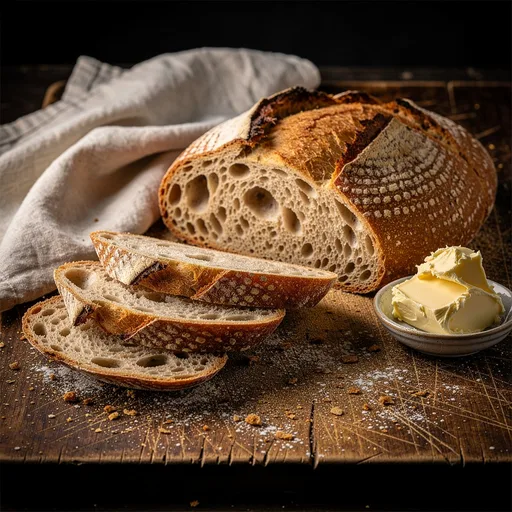 Before
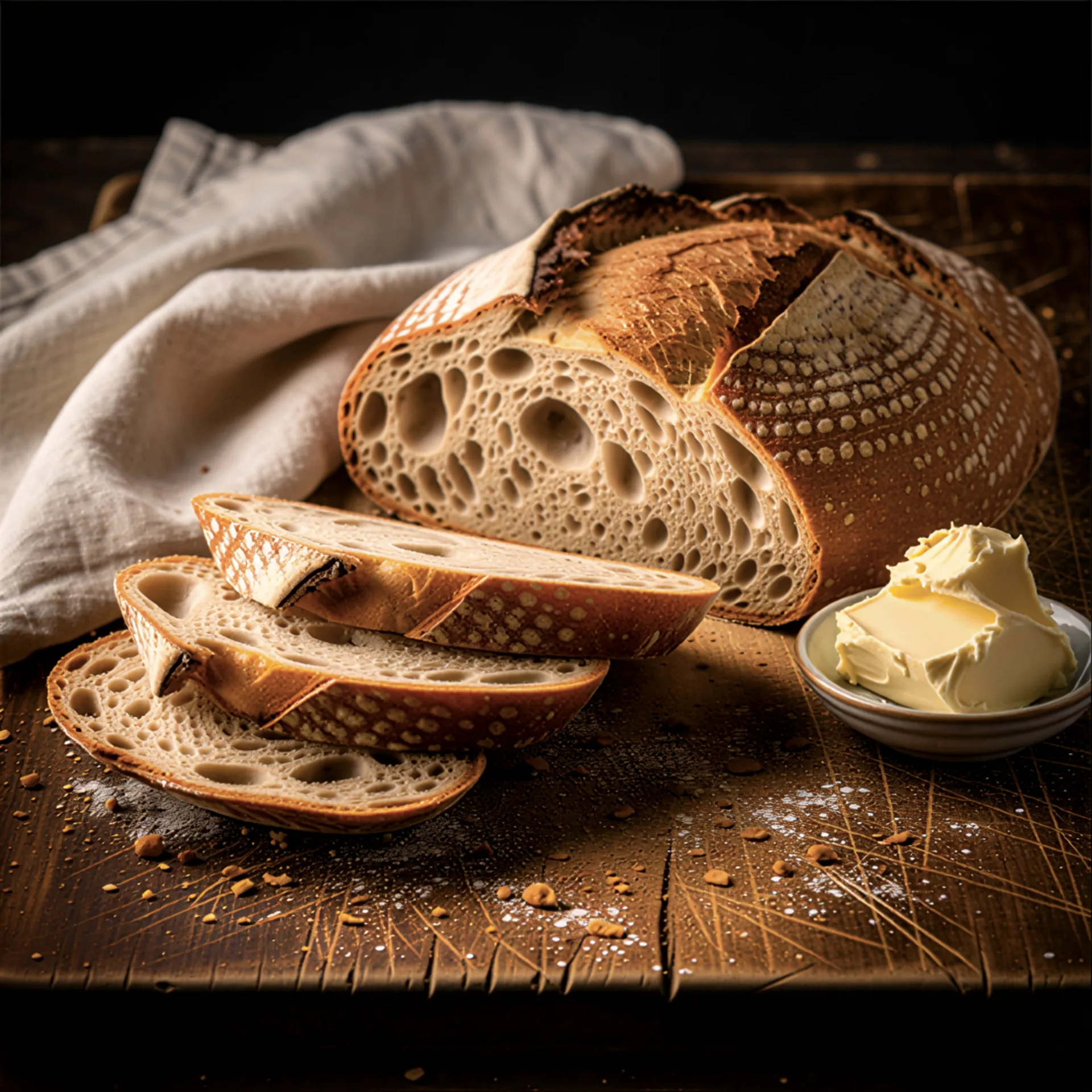 After
The same part of both pictures, enlarged. Before is the small original; After is the upscale.
Pay as you go
No subscription and no monthly minimum: credits are only used when you run something. Top-ups start at $5.
Price shown first
The studio shows the exact price before you start.
Failed runs cost nothing
If a run fails, the credits it used go back to your balance automatically.
FAQ
AI image upscaler FAQ
What is an AI image upscaler?
How do I upscale an image?
Which images can I upscale?
Can I choose how much larger the image gets?
Can I upscale a video?
How much does the AI image upscaler cost?
How long are my results kept?
Upscale an image
Image Upscale · From 3 credits / image